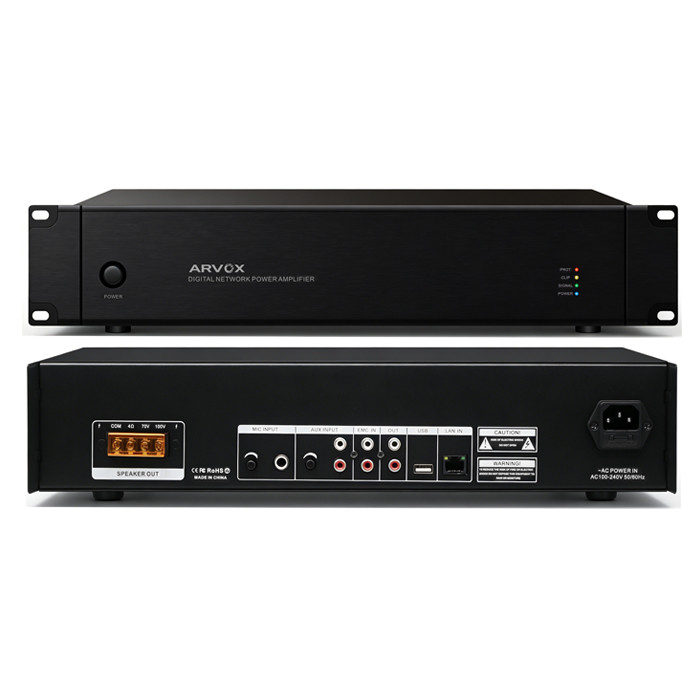
IPS-5000S IP Network Platform Management Software
Browser-based PA management platform for live and scheduled broadcasts, zone and endpoint control, device monitoring and media management across LAN and WAN deployments.
Request a QuoteCentralized IP BroadcastingScheduled & Offline TasksGIS & Floor PlansServer FailoverThird-Party SDK
Browser-based PA management platform for live and scheduled broadcasts, zone and endpoint control, device monitoring and media management across LAN and WAN deployments.
Product Features:
System Architecture
- Supports B/S architecture, network-based design, and supports wide area network (WAN) and local area network (LAN).
- Security Protocol: Supports HTTPS two-way authentication, and a key must be installed to use.
- Applicable Systems: Supports Linux, Windows, Server, and Kylin systems.
- Database: MySQL database, domestic database.
- Network Protocols: Supports UDP, RTP, RTMP, TCP, FTP, RTSP, HTTP, SIP, HTTPS, multicast, and unicast.
- Secondary Development: Supports docking and linkage with third-party platforms, provides platform SDK call interfaces and documents, supports OIDC single sign-on, can run as a subsystem, and realizes system integration with large systems and platforms.
- Master-Slave Server Switching: Can set a master server and a backup server; when the master server fails, the backup server can automatically take over the work of the master server.
- Integration: Integrates IP, 4G, 5G and other encoding/decoding and control functions into one; the same platform can control the above network terminals at the same time, supporting single control and mixed control.
- System Capacity: Supports more than 100,000 terminals to access simultaneously, and supports full-area, zonal, and single-point control and playback of more than 100,000 terminals.
- The platform has recording, storage, backhaul and playback functions.
Signal Transmission Method
- Supports delivering audio, video, and text files through IP/WIFI/4G/5G networks; supports obtaining the playback status of each channel and displaying the playback progress.
System Backup
- Supports system data backup and data recovery.
- Supports exporting device system data to XLS and importing XLS backup file data.
System Platform Registration
- Supports USB dongle hardware registration method; the service life can be set during registration, and the server can be replaced freely.
- Supports serial number registration method; the serial number is obtained through the registration code during registration; the number of authorized terminals and service life can be selected during the registration process, with higher security performance.
- After successful registration, the registration code, registration status and expiration time can be viewed.
Unit and Account Management
- After system registration, you can log in with the default account and password; supports modifying the user name and login password of the default account; supports multiple accounts logging in to the platform simultaneously in the LAN/WAN; supports creating different accounts for different units, with no limit on the number of accounts.
- Supports custom creation of account user names and login passwords; supports modifying the user names and login passwords of created accounts; logs in to the system platform through the user name and login password; image verification is required within the specified time during login; if the time is exceeded, the verification fails and login is not allowed.
- Supports creating different units; each unit is a zone by default, and the unit name can be customized.
- Superior units have the management functions for their own level or the subordinate units under their jurisdiction, including account management, resource management, device management, real-time broadcasting, scheduled broadcasting, playback settings, remote control, viewing records, etc.
- Supports account permission setting, with administrator and operator permissions.
System Volume Management
- Supports remote volume setting for all connected devices.
- Supports setting the volume of all devices through the APP.
- Supports setting default volume and temporary volume.
- Supports volume memory function, which automatically restores the default volume.
System Log Management
- Real-time viewing of local login records is available, including device login type, time, user name, status, and IP address records.
- Real-time viewing of local real-time task operation records is available, including task name, device name, audio source name, volume, playback mode, task type, priority, operation time, and operator.
- Real-time viewing of local scheduled task operation records is available, including task type, device name, file name, volume, playback mode, priority, creation time, start time, end time, date mode, and power circuit.
- Real-time viewing of local intercom records is available, including device name, intercom device, start time, and end time; supports downloading and listening to intercom records.
- Real-time viewing of local fire alarm records is available, including device name, task name, playback device name, device audio source, fire trigger input, volume, and adjacent floors.
Device List Management
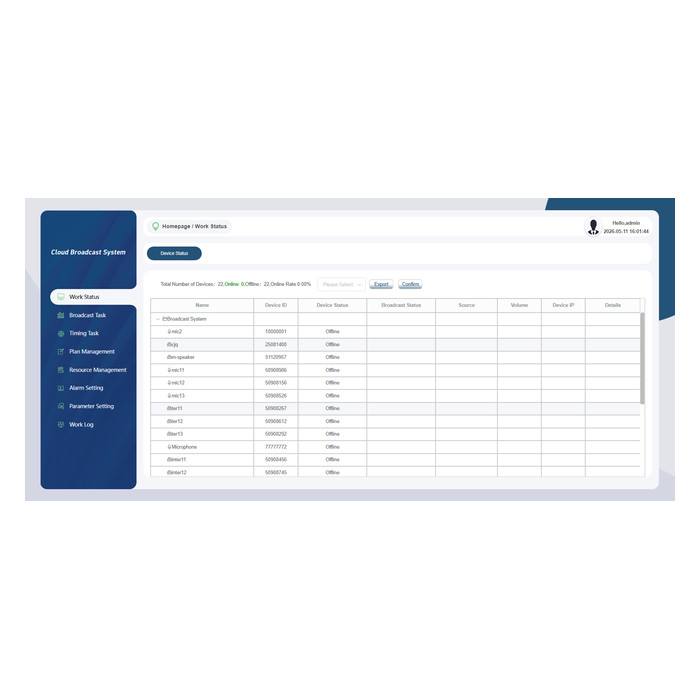
- The device list expands the first level by default; supports displaying the total number of devices, online number, offline number, and online rate.
- Supports displaying the unit, device ID, device IP, and device status of the device in a list structure.
- Supports displaying the device playback status, playback audio source, and volume in a list structure.
- Supports viewing detailed device information, including: power amplifier status, exam mode status, device version number, signal value, noise value, temperature, etc. Device status management: supports reflecting the current status of the device in different colors, where gray is offline, blue is online, and green is online and executing tasks.
GIS Map Management
- Supports GIS map management function, adopts 2D map and general tile format png.
- Supports precise positioning of devices on the GIS map through device latitude and longitude; supports device search function on the GIS map for quick device positioning.
- Supports displaying basic information, playback information, geographical information, and operating status of broadcast devices on the GIS map, with different statuses displayed differently.
- Supports viewing the name, type, IPID, status, and latitude and longitude of the positioned device on the GIS map.
- Supports circle selection playback on the GIS map.
- Supports customizing the device icon style on the GIS map for diversified device management.
Floor Plan Management
- Supports uploading the floor plan of the device installation area, and associating devices with their installation positions in the floor plan; supports device search function for quick device positioning; supports circle selection playback on the floor plan.
Information Release
- Supports creating real-time tasks, with one-key start, one-key stop, and one-key pause function buttons, and can batch set tasks.
- When creating a real-time task, supports selecting different network devices or units to realize full-area, zonal, group, or single-point broadcasting or intercom; supports multi-channel concurrency function, which can play different broadcast content to different devices or units at the same time.
- A task list is automatically generated after the real-time task is created, and the device name, audio source name, volume, playback times, playback mode, and priority corresponding to the real-time task can be viewed.
- Has a task modification function button, which can modify the playback device, audio source, volume, playback times, playback mode, and priority of the real-time task; has save and undo buttons, which can save or undo the modification of the real-time task after clicking; supports volume setting function, supports adjusting the volume of the real-time task through line drag during playback, and supports 0-32 level volume adjustment.
- Has a task deletion function button, which can delete real-time tasks, supporting single or batch deletion.
- Supports selecting a plan function, which can quickly import system plan tasks to realize quick release function; supports custom automatic trigger plans and manual one-key start plans.
- Supports setting the priority of real-time tasks, with 1-32 levels of priority; the smaller the number, the higher the priority; supports setting the number of playback times of real-time tasks, with the default number of playback times being 1 and no upper limit.
- Supports playback mode setting; optional playback modes: single song playback, single song loop, list playback, list loop, random playback.
- Supports audio source selection; the audio source selection list has default list, audio file and text file selection lists, supports search function, and can quickly search for required resource files; supports text-to-speech, audio, and video file release.
- Supports terminal device pre-opening function setting (that is, turning on the terminal device a few seconds in advance before task playback).
- During the playback of the real-time task, the real-time task playback progress, the name of the currently playing audio source, and the duration of the audio source are displayed in a line style on the task interface; supports adjusting the audio source playback progress by dragging the line, and has previous song and next song switching buttons.
- Has a broadcast prompt tone setting function, presets a variety of broadcast prompt tones, and can turn on/off this function; supports custom broadcast prompt tones.
Server Broadcasting
- Supports server broadcasting function, which can broadcast the content of the server sound card; can select the audio source type of the server sound card, with line, microphone, and stereo options; the current status is displayed during broadcasting, which are idle and broadcasting respectively.
- Supports selecting the formulated server broadcasting plan tasks; the plan tasks can pre-set task volume, priority, audio source, and devices, supporting quick operation.
Client Broadcasting
- The client sub-control software supports LAN/WAN, and can connect to the system platform after authorization.
- Supports broadcasting the content of the client sound card through the client sub-control software and sending it to the corresponding network devices or units; supports selecting different network devices or units to realize full-area, zonal, group, or single-point broadcasting or intercom; directly drag and adjust the volume of the broadcasting task in real time, supporting 0-32 level volume adjustment.
Exam Mode Switching
- When the exam mode is activated, the switching method of the broadcast backup is switched from the network to the 100V constant voltage backup within 300ms; supports the system to keep switching to the backup audio.
- Supports the system to configure specified terminals to enable the exam mode within a specified time period, and supports one-key start and one-key end of the exam mode for all devices.
Scheduled Plan Management
- Supports creating scheduled task plans, with no limit on the number of plans.
- Has add, delete, modify, save, and undo function buttons to manage scheduled plans.
- Has a refresh button to refresh the scheduled plan information.
- Has import and export functions, which can export the platform scheduled plan list or import the scheduled plan list to the platform.
- Supports modifying the scheduled plan task information, including: plan name, start time, end time, and can change the scheduled task status to on or off.
- Supports setting the holiday mode of the scheduled plan, can select holidays through the calendar list, and supports turning on/off the holiday mode.
Scheduled Task Management
- Double-click the scheduled plan to enter the scheduled task setting interface; a single plan can set multiple scheduled tasks.
- Has a holiday mode, supports turning on/off the holiday mode individually or in batches; after turning on the holiday mode, the selected holidays can be automatically skipped.
- Has a quick copy function button, which can quickly copy the selected scheduled tasks; supports batch setting of multiple devices and multiple tasks at the same time.
Offline Tasks
- Supports setting offline tasks; offline tasks are automatically and manually delivered to the TF/SD card of the terminal device with one key; supports regularly updating the scheduled task files to the TF/SD card built in each IP terminal to ensure that the scheduled tasks locally on the IP terminal are updated in a timely manner.
- When the terminal is offline when the platform delivers an offline task, the terminal can automatically obtain the offline task when it goes online.
- Offline tasks have a priority execution mechanism; when there are multiple tasks at the same time, the task with a higher level is automatically executed.
- When the platform, server or network fails, the terminal automatically executes the offline scheduled tasks.
- Supports viewing the offline tasks in the TF/SD card of the IP terminal device through the platform, can remotely format the TF/SD card, and clear all offline tasks of the device with one key.
Plan Production
- Supports creating system plans, can set the name of the plan task, with no limit on the number of plan tasks.
- The plan task can customize the device area, and can add full-area, zonal, group, and single-point devices to create the plan.
- Supports setting the playback mode of the plan task, which can be set to: single song playback, single song loop, list loop, list playback, random playback; supports setting the volume of the plan task, supporting 1-32 level volume adjustment or default volume.
- Supports setting the number of playback times of the plan task, with no limit on the number of times.
- Supports setting the audio source for plan production; the audio source setting list has default list, audio file, image file, and text file list selection; supports media resource search function to quickly select the required resource files.
- Supports setting the priority of the plan task, with 1-32 levels of priority setting; the smaller the number, the higher the priority.
- Supports viewing the plan task list on the same interface, including: task name, plan level, playback device, file name, playback mode, volume, playback times.
- Has a plan task deletion button, which can delete the plan task after clicking.
Media Upload
- Supports selecting MP3 and WAV format audio files to upload to the server, and supports batch selecting audio files to upload to the server.
- Supports batch management and batch deletion of server audio files; supports downloading, listening to, and deleting server audio files.
- Supports displaying the file name, file content, playback duration/word count, and upload time of server audio files in the form of a list.
- Supports classified and user-specific management of media files, and can configure public/private folders; private files are used independently.
Text File Upload
- Supports online editing text files and uploading them to the server; the text file content is ≥1000 words, and the name of the text file can be set.
- Supports setting the language type (Mandarin male, Mandarin female) and speech rate (slow, slower, normal, faster, fast) of the text file, supporting one-key upload and one-key reset.
- Supports TTS text-to-speech function, and can compare with the system's built-in sensitive word database; illegal characters will not be broadcast.
- Supports classified and user-specific management of text files, and can configure public/private folders; private files are used independently.
Device Management Function
- Supports adding, deleting, and modifying system devices; supports viewing the list of unknown devices through the system platform.
- Supports one-key addition of system devices, and can set device name, device type, device priority (1-32), server IP, device longitude, latitude, RDS logic, device default volume, etc.; server IP supports manual or automatic setting.
- Supports enabling the drag function, which can quickly drag and classify devices between different units.
- Supports remote management and maintenance of the following devices, supports remote restart function, and supports remotely selecting upgrade files for OAT remote upgrade of device programs.
Related Products
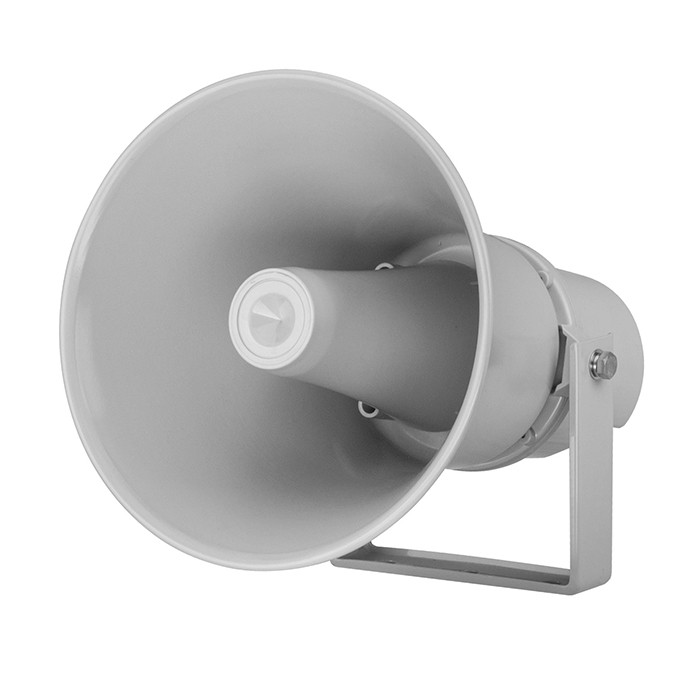
IPS-E4020 PoE Network Horn (Aluminum Alloy)
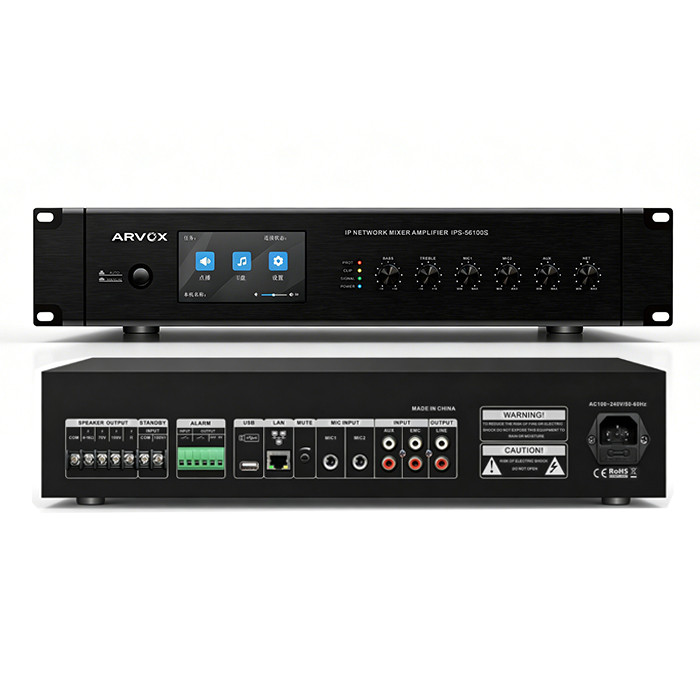
IPS-5608S/IPS-5612S/IPS-5618S/IPS-5624S/IPS-5630S/IPS-5635S/IPS-5650S/IPS-5665S/IPS-5680S/IPS-56100S Touch Screen Network Power Amplifier (80W–1000W)
IPS-E1020 PoE Network Coaxial Ceiling Speaker